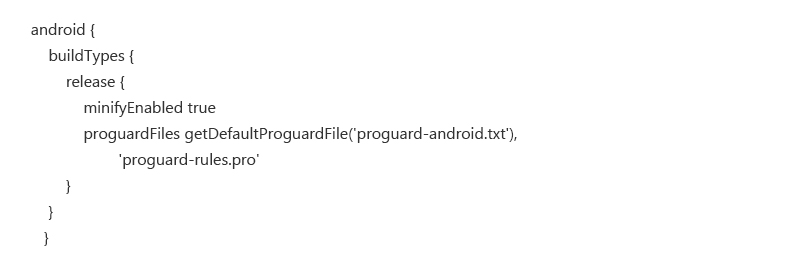

1. Memory Optimization :
There are wide range of devices in android, and each application perform differently on each device. So basically performance is one of the problem for Android Application Developers.

1 ) Don’t Allocate Memory to Object if it is not needed – Initializing the object at expensive places can affect the application performance a lot. It will call garbage collector frequently.
Ex. Avoid creating object inside loops and methods like onDraw().
2 ) Choose Data Structure Carefully –
Ex. We have one HashMap like

It will consider ‘1’int value which is primitive type and will allocate memory to wrap int to Integer which is also know as a Boxing technique that can be expensive in terms of performance of application.
We can use Sparse*Array which will reduce unnecessary object creation.
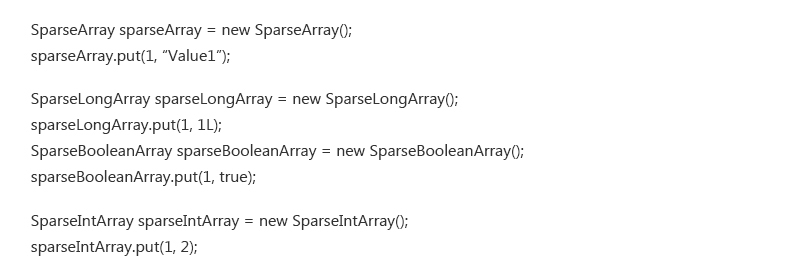
3 ) Working with Image Bitmaps – Bitmaps take lot of memory in our application so it is suggested that we should not load image in its full size , we should load the image in particular resolution which we are using it in our application.
Ex. Suppose we are showing the imageView of size 100 * 100 dp so we should load the image in same size, there are some common methods to perform in developer documentation of android.
4 ) Use Cache Memory – Cache allows you to use expensive object without recreating them. We can store such objects like image which we can’t afford to load again and again.We can store it in Cache memory and load them directly from Cache.
Ex. Android provides LRUCache Class , which will perform such operations for us. Class has a Storage Limit. When class exceeds its limit it will automatically removes the least used object from the Cache.
On other hand, we can also use some third party library to Cache the memory and avoid to load it again and again. Glide and Picasso are such libraries to achieve that.
5 ) Use DiffUtil in RecyclerView – DiffUtil uses Eugene W. Myer’s difference algorithm to calculate the minimal number of updates to convert one list into another. Instead of notifying all items just notify those items which are changed. For more information refer this url.
6 ) Don’ts use android:text in design layout files. – Most of the mobile developers uses android:text for layout design purpose and overwrites respected value from java classes which will writes text one time from xml layout and another from java files. So to overcome this, use tools:text instead of android:text
Android Studio provides performance tool know as a Lint which will show us our potential error in the code. We have one variable that is created in onDraw method lint that shows error for the kind of code.
2. Code Optimization :
Optimization of the code is directly related to size of our application.
1 ) Remove unused Resource – Resource like image can take much size in our apk.so we should remove unused resources from res folder.
Ex. – There are two ways to remove unused resource from apk.
CTRL + ALT + SHIFT + i – Type unused resources and Enter which will give list of resources (drawables,strings etc.) which are not used in our app currently. We can delete them.
Shrink unused resources from gradle file.
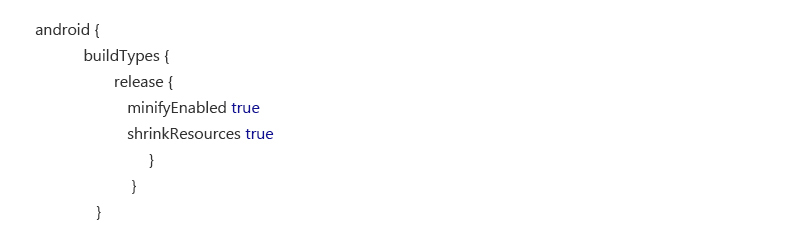
Which will remove unused resource from your release apk.
2 ) Don’t use Images for all Density – Android supports different density with different devices like ldpi,mdpi,hdpi,xxhdpi,xxhdpi. Use only those density images which you think large number of users are going to use. It is already recommended that all devices should use at least xxhdpi images.
3 ) Avoid Frame by Frame Animation – Frame by frame animation can enlarge for application, which is having multiple images for different density. Try to achieve such things with GIF images.
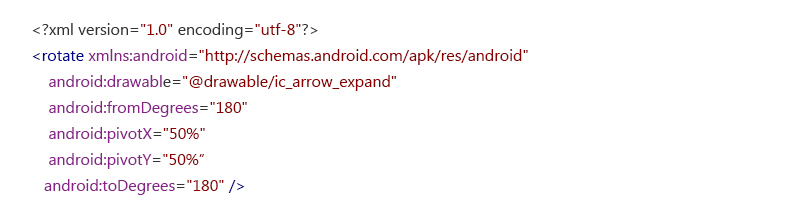
4 ) Reuse Images – We can use same resources like we need an image with mirror effect. So we can use same image with rotation.
EX.
5 ) Remove unused Code – Nowadays we use so many third party libraries to achieve some features easily in our app which is nothing wrong to do, but there are some unused code and classes that takes place in application.
Android provides facility of Proguard to remove such code from your application.