As we all know, the latest WatchOS has been released which brings you faster performance, easy navigation, advanced fitness features, the Breathe app and more powerful Messages.
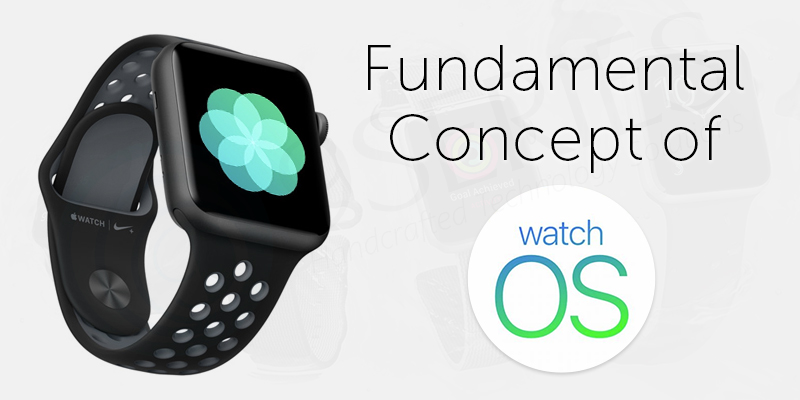
The latest versions of watchOS continue to deliver faster performance, smoother navigation, enhanced fitness tracking, improved messaging, and advanced health capabilities. For iOS developers, understanding the core concepts of watchOS is essential before building powerful and efficient Apple Watch applications.
In this article, we cover the fundamental concepts of watchOS, including WatchKit, app architecture, lifecycle, interface controllers, notifications, and complications.
What is watchOS?
watchOS is the mobile operating system developed by Apple Inc. for the Apple Watch. It is built on the foundation of iOS and shares several architectural and development similarities.
Developing for Apple Watch means delivering concise, meaningful, and high impact information in the most convenient way possible. The platform is designed around quick interactions, glanceable data, and streamlined user experiences.
What is WatchKit?
WatchKit is Apple’s framework for building Apple Watch applications. It is bundled with Xcode and enables developers to create watchOS apps that extend an existing iOS app.
A WatchKit app is not standalone. It must be paired with an iOS app running on the user’s iPhone. The Apple Watch app functions as an extension of the iPhone app.
Key points:
- The iPhone app manages and maintains the Watch app.
- Communication happens through WatchKit.
- The Watch app was originally designed to act as an external display for processes running on the paired iPhone.
- Modern watchOS versions now allow apps to run directly on the watch.
Apple Watch Screen Sizes
Apple Watch devices were initially introduced in 38mm and 42mm sizes, both featuring Retina displays. Xcode automatically adapts layouts to different screen sizes.
Unlike iOS, traditional Auto Layout is not used. Instead, WatchKit uses its own layout system optimized for compact interfaces.
Watch App Architecture
When a user selects a Watch app from the Home screen, watchOS launches it into the foreground. The app remains active until dismissed.
However, watchOS apps may also run in the background under certain conditions:
- When their complication appears on the active watch face
- When the app is placed in the Dock
- When handling notifications
Apps with active complications or Dock presence remain in memory, enabling faster launch performance.
WatchKit App Project Structure
When adding a WatchKit app in Xcode, two targets are created:
- WatchKit App
- WatchKit Extension
The Apple Watch project contains two separate bundles:
- Watch App Bundle
Contains:
- Storyboards
- UI resources
- Interface assets
- WatchKitExtension Bundle
Contains:
- Extension delegates
- Interface controllers
- Business logic
- Event handling code
Although distributed within the iOS app, these bundles are installed and run locally on the Apple Watch.
A watchOS project must include a Watch app and may optionally include:
- Glances
- Custom notifications
- Complications
Each interface type offers a unique way for users to interact quickly with app data.
Watch App Lifecycle
The Watch app lifecycle includes the following key methods:
- applicationDidFinishLaunching()
B. applicationDidBecomeActive() or applicationWillResignActive()
C. applicationWillEnterForeground() or applicationDidEnterBackground()
Understanding these states is critical for managing data updates, background execution, and performance optimization.
What is an Interface Controller?
An Interface Controller is an instance of WKInterfaceController, defined in WatchKit.
While similar to a UIViewController in iOS, it does not directly control views. Instead, it controls an interface, meaning a screenful of content.
Key characteristics:
- Manages user interface behavior
- Responds to user interactions
- Configures UI elements
- Cannot dynamically restructure UI like iOS view controllers
Interface Controller Lifecycle
The main lifecycle methods include:
Awake
Used for initialization. Load data, configure interface elements, and prepare the screen for display.
WillActivate
Called when the interface is about to become visible to the user.
DidDeactivate
Called when the interface is no longer visible.
Types of User Interfaces in watchOS
- Normal Interface
Defined in interface.storyboard.
Each scene corresponds to a WKInterfaceController.
- Glance
Glances are single page, non interactive screens designed to show summary information quickly.
Features:
- Non scrolling
- Read only
- No interactive controls
- Tap launches the main app
They are designed for fast information consumption.
- Notifications
watchOS supports both local and remote notifications.
When an iOS app receives a notification, the system decides whether it should appear on the iPhone or the Apple Watch, depending on user activity.
Notifications on Apple Watch appear in two formats:
Short Look Notification
- Automatically generated by the system
- Displays app icon, app name, and brief message
- Cannot be customized
- Transitions to Long Look when user raises wrist
Long Look Notification
Can be either Static or Dynamic.
Static Notification
- Contains a single label populated from payload
- Limited customization
Dynamic Notification
- Requires subclassing WK User Notification Interface Controller
- Fully customizable interface
- May fallback to static version if battery is low
Actionable Notifications
- Include buttons or text inputs
- Allow users to respond directly from the watch
- Example: Accept or reject a meeting invitation
Complications in watchOS
Complications are small widgets displayed directly on the watch face, offering quick access to app data.
Example:
A calendar app complication can show the next upcoming event without opening the app.
watchOS determines complication size and placement based on the selected watch face.
Complication Families
- Modular Small
- Modular Large
- Circular Small
- Utilitarian Small
- Utilitarian Large
Complications play a crucial role in user engagement because they provide instant, glanceable value.
Conclusion
watchOS development focuses on delivering fast, efficient, and meaningful user experiences within limited screen space. By understanding WatchKit, architecture, interface controllers, lifecycle management, notifications, and complications, developers can build powerful Apple Watch applications.
For startups, enterprises, and product teams investing in wearable technology, mastering watchOS fundamentals is essential for creating intuitive and high performance smartwatch applications.
Stay tuned for our next article where we will explore advanced watchOS features and performance optimization strategies.